


LED Keyboard: RGB Lighting
4.512.99K Reviews
App Specs
- Version
- 20.0.9
- Updated On
- License
- Free
- Downloads
- 50,000,000+
- Developer
- Zayzik : LED Keyboard Studio
- Categories
- Personalization
- Platform
- Android
Screenshots
 Analysis by AppCompare
Keyboard changes can be surprisingly easy to misread. A bright preview may look ready, yet the phone still uses its usual keyboard when I open a message; a new font may decorate the keys without changing how the text appears to the recipient. I find it helps to treat LED Keyboard RGB Themes, Fonts as a personalization app whose main payoff is the typing experience on your own screen, rather than assuming every visual choice will travel with a message.
Where the first setup can feel confusing
For me, the main adjustment is understanding that choosing a design and actually typing with it are separate steps. If the keyboard does not appear in a text field, I first check the phone’s keyboard settings and select the keyboard I want to use there. Then I return to an ordinary app with a text box and see whether it appears. The exact menu names can differ between phones, so I look for the keyboard or input settings rather than expecting one universal path.
This distinction also helps explain why a theme can seem to vanish. A preview inside the app is not the same as the active keyboard in another app. I check the design in a real message field after setup, and, if the old keyboard still appears, I revisit the device’s input selection instead of repeatedly changing colors. That simple check is more useful than reinstalling straight away.
Small setup checks that save time
I would begin by trying one visual change at a time: select a theme, open a text field, and confirm that the keyboard looks as expected. Then I would test a font or another decoration separately. This makes it easier to tell which choice caused a problem, and it avoids spending time building a detailed look before confirming that the keyboard is active.
Contrast is worth checking in everyday lighting, not only against the app’s bright preview. A glowing design can be attractive while making key labels harder for me to pick out, especially if the colors are very similar. I prefer to test a few sentences with the chosen theme before settling on it. A calmer color combination may be the better everyday choice even if a more dramatic one looks impressive in a sample screen.
It is also sensible to try the keyboard in more than one text field. A quick search box and a longer message reveal different things: one shows whether the keyboard is available at all, while the other gives me time to notice whether the layout and visual treatment remain comfortable. I would not judge it only by tapping around in the customization screen.
Recovering when the look or keyboard changes
If the keyboard switches back after I have customized it, I would first check which input method is selected on the phone. If the right one is active but the appearance seems wrong, I would reopen the app, select the desired look again, and test it in a fresh text field. These steps keep troubleshooting focused on the two likely points of confusion: keyboard selection and theme selection.
Worth Reading Before You Choose

Flipboard Shows What News Apps Must Do Beyond the Feed

Switching to Android Auto Means Rethinking Your Driving Routine

Google Calendar Makes a Crowded Week Easier to Manage

Ludo King Makes the Most of the Minutes Between Plans

Baby Panda World Brings Quick Play to Modern Phones, but Its Game Library Feels Busy

ESPN’s Live Game View Makes Following Close Games Easier
When a particular font or effect feels distracting, I would simplify the setup rather than changing everything at once. Returning to a familiar theme makes it easier to decide whether the issue is visual comfort or activation. For a practical routine, I’d save the more expressive look for casual chats and use a restrained design when I need to type for longer. The point is not to make every message a performance; it is to choose a keyboard that stays pleasant to use.
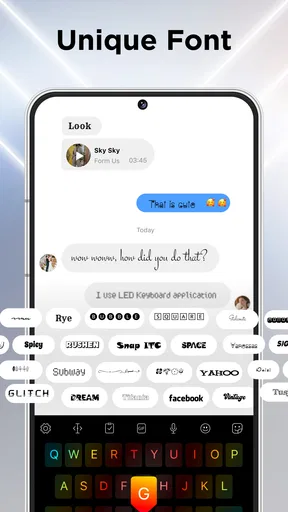
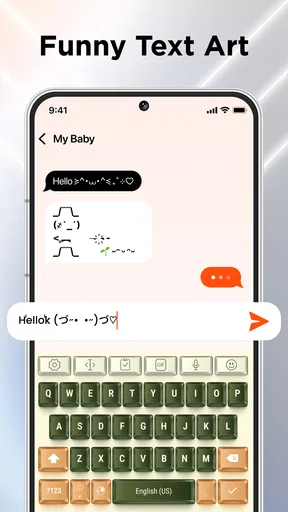
There is another useful distinction: a font shown on the keyboard is not necessarily a font that changes the appearance of text on someone else’s phone. I treat decorative text as something to preview in the destination app before relying on it for an important message. If readability matters, standard text is the safer choice; the keyboard’s visual styling can still make the act of typing feel more personal.
Setting the Scene with Style
First off, let’s talk about the setup. Installing LED Keyboard RGB Themes, Fonts was a breeze. Just a few taps and I was up and running. The app greets you with a vibrant interface that already hints at the creativity you can unleash. It’s like opening a box of crayons, but for your phone.
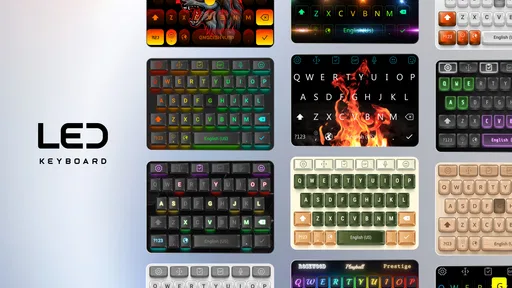
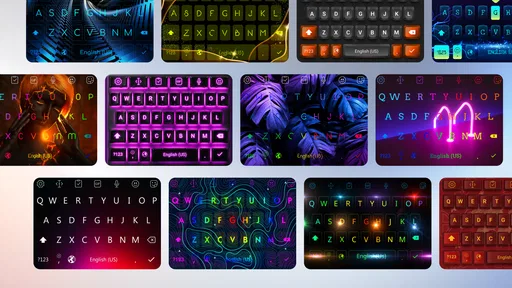
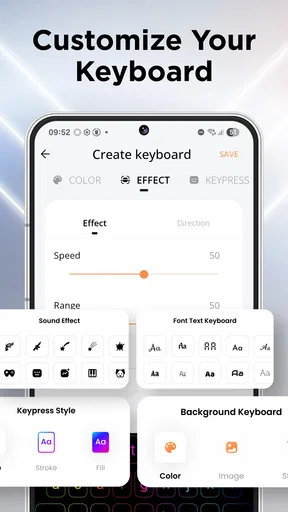
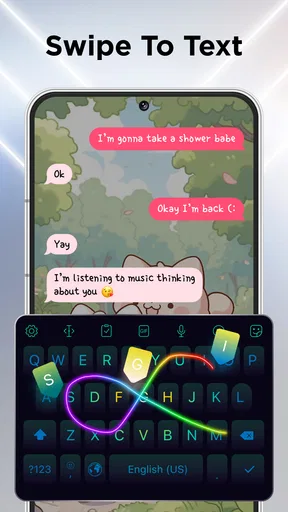
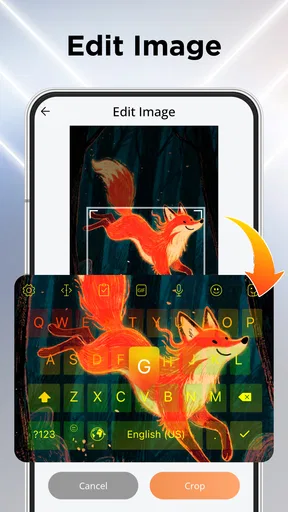
The customization options are where this app really shines. You can choose from a plethora of RGB themes that light up your keys like a disco. From cool blues to fiery reds, there’s something to match every mood or occasion. And if you’re feeling extra creative, you can even mix and match colors to create your own unique theme.
Fonts and Functionality
But let’s not forget about fonts. This app doesn’t just stop at colors. It offers a variety of fonts that can transform your text into a work of art. Whether you’re drafting a formal email or sending a casual text, there’s a font to fit every vibe. I found myself switching between styles just for the fun of it.
Functionality-wise, the app performs smoothly. The keyboard is responsive, and I didn’t experience any lag while typing. It integrates seamlessly with other apps, so you can enjoy the flashy aesthetics without compromising on performance.
Features That Wow
One feature I found particularly nifty is the ability to add effects to your typing. Imagine keys lighting up with every tap or a ripple effect that follows your fingers. It’s like having a mini light show at your fingertips. Plus, the app promises regular updates, keeping the experience fresh and exciting.
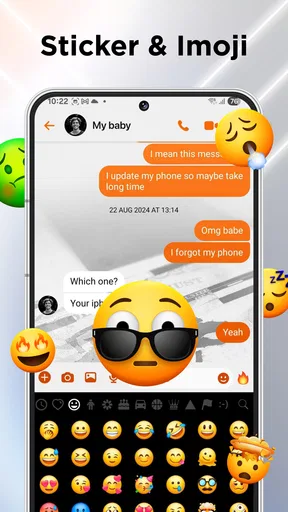
For those who love to personalize every aspect of their phone, LED Keyboard RGB Themes, Fonts offers an emoji and sticker library to jazz up your messages. It’s a fun way to express emotions and add a splash of personality to your chats.
Everyday use beyond the preview screen
A realistic use for this keyboard is a quick conversation during a commute or a string of casual messages while waiting for coffee. I can choose a vivid theme for those moments, use an emoji or sticker when plain text feels flat, and switch back to something quieter when I need to answer a work message. That kind of occasional change is where the personalization feels worthwhile without turning each conversation into a design project.
The trade-off becomes clearer during longer typing sessions. Animated effects and strong color contrasts can be fun in short bursts, but visual motion may draw attention away from the words. If I am writing a long email, filling in a form, or concentrating on a message that needs careful editing, a simpler look is more practical. I would choose this app for visual variety, not because effects make writing itself faster.
Compared with the standard keyboard that comes with a phone, this app puts much more emphasis on appearance and playful extras. A built-in keyboard is usually the more straightforward choice if I want a familiar layout and minimal setup. Compared with other personalization keyboards, the appeal here is the combination of RGB styling, decorative fonts, and message add-ons in one place. If I mainly want a plain, dependable typing tool, the phone’s existing option may suit me better.
Who will enjoy it—and who may not
I can see this being a good fit for someone who likes coordinating a phone’s look, enjoys expressive chats, or wants the keyboard to feel less generic. It is also approachable for people who want to experiment without changing the whole phone interface: the customization is focused on the typing area. The app is free to try, and it is rated for Everyone, which makes it a low-commitment way to see whether a more colorful keyboard suits your habits.
I would steer away from it if you prefer an uncluttered keyboard, dislike visual effects, or rarely care how the keys look. It may also be the wrong pick if you need a particular professional typing workflow or want every decorative font to display identically for every recipient. In those cases, the default keyboard or a more utility-focused alternative is a better match than a keyboard chosen chiefly for style.
One practical tip is to judge the keyboard by the least favorable place you use it, not just by its best-looking preview. A theme that works in a bright room may be harder to read at night, and a style that feels fun in a short chat may become tiring during a long reply. Testing the same setup in both situations helps me choose a design I can keep, rather than one I abandon after the novelty fades.
Is It All Shine and No Substance?
Now, no app is perfect, and while I’ve been singing its praises, there are a few things to consider. The app does come with ads, which can be a bit distracting. However, there’s an option to go ad-free for a small fee, which might be worth it if you’re a fan of uninterrupted typing bliss.
Additionally, while the app is packed with features, some of the more advanced options might be a tad overwhelming for those who prefer simplicity. But if you’re willing to spend a few minutes exploring, the rewards are definitely worth it.
There is also a practical cost question beyond the free download: optional in-app purchases range from about $2.49 to $99 per item. I would explore the free experience first and only consider paying if I know which extra I want; a wide range does not mean every user needs to buy anything. That approach keeps the decision grounded in actual use rather than the temptation to unlock options before I know whether the keyboard fits my routine.
The app is developed by Zayzik : LED Keyboard Studio, and its audience is substantial: it has an average rating of 4.5 from around 580,000 ratings, with roughly 13,000 written reviews and over 50 million installs. Those figures suggest broad interest, but they do not tell me whether a particular theme will be comfortable on my phone. My own deciding test would still be simple: activate a design, type a normal message, and see whether I enjoy using it after the first few minutes.
When a different option is the better answer
If the keyboard does not show up in a particular app, I would not immediately assume the theme is broken. I would test another ordinary text field and check the phone’s selected input method. If it works in one place but not another, the problem may be specific to that app or text field rather than the keyboard’s appearance. Keeping those checks separate prevents a confusing one-off behavior from turning into a complete reset.
Likewise, if a recipient sees ordinary lettering instead of a decorative style, that does not necessarily mean the keyboard failed. Text appearance can depend on the destination app and how it handles the characters. For important messages, I would prioritize legibility and verify the result before sending. Stickers and emojis are a more direct way to add personality when a font effect does not carry across as expected.
For someone who changes styles often, I recommend keeping a mental note of the last design that felt easy to read. That gives me a quick fallback if experimentation leaves the keyboard looking too busy. It is a small habit, but it makes customization less frustrating: I can explore freely while knowing what to return to when I want familiar, comfortable typing.
Final Thoughts
In summary, if you’re looking to add a bit of sparkle to your typing experience, LED Keyboard RGB Themes, Fonts is definitely worth a try. It combines style and functionality in a way that makes everyday typing a lot more fun. With its extensive customization options and vibrant designs, it’s a great choice for anyone wanting to stand out from the crowd.
Whether you’re sending a quick text or diving into a lengthy email, this app ensures your keyboard is never boring. It’s a delightful way to bring a bit of color into your digital world. So, go ahead, give it a whirl, and let your fingers dance across a rainbow of keys.
The current version is 16.6.26 and it supports Android 6.0 or later, which helps set expectations before installing it on an older device. I would still make the final decision based on the feel of the keyboard rather than the number of themes: if the active layout is comfortable, the visual choices add real enjoyment; if I find myself fighting the setup or hiding the effects, a simpler keyboard is the more sensible daily choice.
Pros
- Extensive theme customization options.
- Wide variety of font styles available.
- Smooth and intuitive user interface.
- Low battery consumption during use.
- Regular updates with new features.
Cons
- Contains ads that can be intrusive.
- Some themes require in-app purchases.
- Limited free font options available.
- Occasional lag on older devices.
- Initial setup can be time-consuming.
FAQs for LED Keyboard: RGB Lighting
What features does the LED Keyboard RGB Themes app offer?
The LED Keyboard RGB Themes app provides a variety of customizable keyboard themes with vibrant RGB lighting effects. Users can select from numerous color patterns and styles to personalize their typing experience. Additionally, the app includes a variety of fonts and emojis to enhance messaging, making it visually appealing and fun.
Is the LED Keyboard RGB Themes app compatible with all devices?
The app is designed to be compatible with most Android and iOS devices. However, some older models may not support all features due to hardware limitations. It's recommended to check the app's requirements in the App Store or Google Play Store to ensure compatibility with your specific device.
Does the app impact battery life significantly?
While the LED Keyboard RGB Themes app is designed to be efficient, using vibrant RGB themes and animations can consume more battery than a standard keyboard. Users should monitor their device's battery usage and adjust the brightness or effects to balance performance and power consumption.
Are there any in-app purchases or ads within the app?
The app offers a free version with basic features accompanied by ads. For an ad-free experience and access to premium themes and fonts, users can make in-app purchases. This allows users to enhance their keyboard experience while supporting the developers.
How secure is the LED Keyboard RGB Themes app in terms of privacy?
The app prioritizes user privacy and does not collect or store personal data without consent. However, as with any keyboard app, users should be cautious about enabling full access, which may allow the app to transmit typed information. Always review the app's privacy policy for full details.


